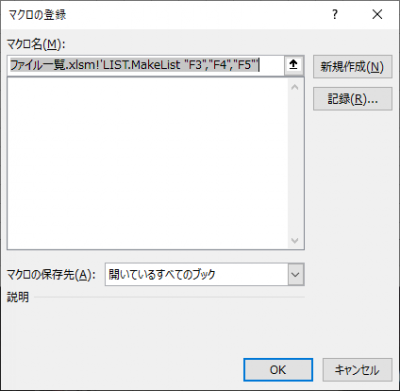
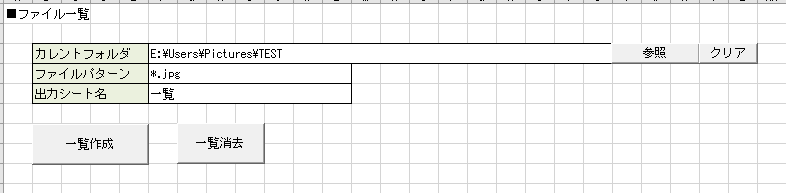
Sub MakeList(cell1 As String, cell2 As String, cell3 As String)
    Dim path As String
    Dim ptrn As String
    Dim name As String

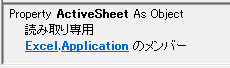
    path = Me.Application.ActiveSheet.Range(cell1).Text
    ptrn = Me.Application.ActiveSheet.Range(cell2).Text
    name = Me.Application.ActiveSheet.Range(cell3).Text
End Sub
Sub MakeList(cell1 As String, cell2 As String, cell3 As String)
    Dim wb As Workbook
    Dim ws As Worksheet
    Dim path As String
    Dim ptrn As String
    Dim name As String

    Set wb = Me.Application.ActiveWorkbook
    Set ws = wb.Worksheets("表紙")

    path = ws.Range(cell1).Text
    ptrn = ws.Range(cell2).Text
    name = ws.Range(cell3).Text

    Set ws = Nothing
    Set wb = Nothing
End Sub
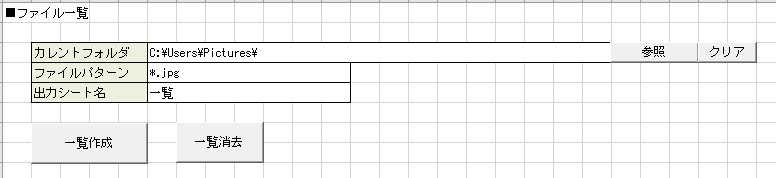
' 一覧作成 Sub MakeList(mysheet As String, cell1 As String, cell2 As String, cell3 As String) Dim wb As Workbook Dim ws As Worksheet Dim trg As Worksheet Dim path As String Dim ptrn As String Dim name As String Dim data As Collection
' アクティブなワークブックを取得する Set wb = Me.Application.ActiveWorkbook ' 表紙のワークシートを取得する Set ws = wb.Worksheets(mysheet)
Sub GetFileInfo(path As String)
    Dim fl      As file
    With New FileSystemObject
        ' pathのファイルを取得
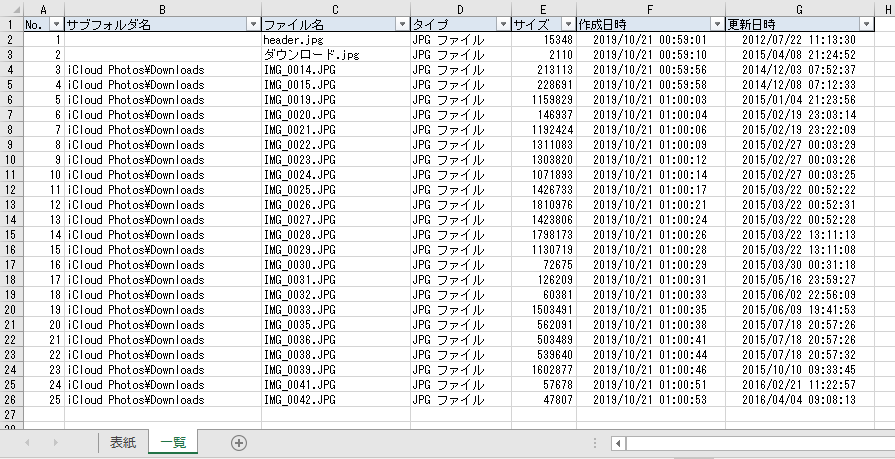
        For Each fl In .GetFolder(path).files
            ' ファイル名を表示
            Debug.Print fl.name
        Next
    End With
End Sub
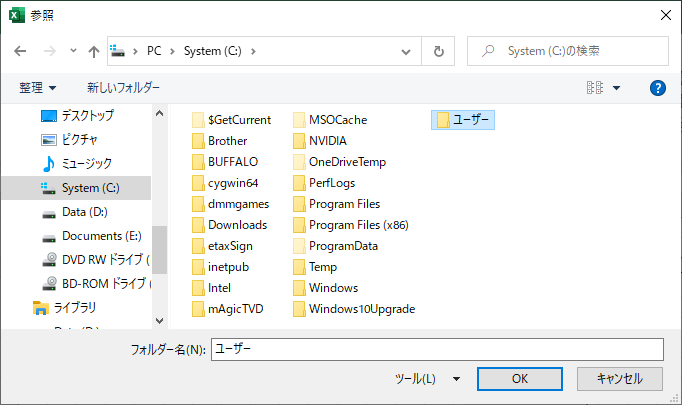
Function UseFileDialogFolderPicker() As String
    Dim ret As String
    ret = ""
    ' Create a FileDialog object as a Folder Picker dialog box.
    With Application.FileDialog(msoFileDialogFolderPicker)
        ' Display paths of each file selected
        If (.Show = -1) Then
            ' The user pressed the button.
            ret = Trim(.SelectedItems(1))
        Else
            ' The user pressed Cancel.
        End If
    End With
    UseFileDialogFolderPicker = ret
End Function
Function UseFileDialogFolderPicker() As String
    Dim ret As String
    ret = ""
    ' Create a FileDialog object as a Folder Picker dialog box.
    With Application.FileDialog(msoFileDialogFolderPicker)
        .ButtonName = "OK"
        .InitialFileName = "C:"
        .Title = "選択"
        ' Display paths of each file selected
        If (.Show = -1) Then
            ' The user pressed the button.
            ret = Trim(.SelectedItems(1))
        Else
            ' The user pressed Cancel.
        End If
    End With
    UseFileDialogFolderPicker = ret
End Function